Kids Learning Arcade
Free learning games for kids
Calm games for ages 3 to 9. Pick one!
 Spell the PictureAges 3 to 8See a picture, put the letters in the tray, hear the word.Learns: Letters, sounds and spelling
 ABC MailboxAges 3 to 5Post the letter into Posty the mailbox and hear its name and sound.Learns: Letter names, big and little letters, and first sounds
 Counting to 20Ages 4 to 7Turn on the lights on a string in fives and tens, and count to 20.Learns: Counting and seeing numbers to 20 in fives and tens
 Memory MatchAges 3 to 6Peek under the leaves and find the pairs.Learns: Memory and paying attention; big and little letters at the top level
 Name the FeelingAges 3 to 6Name how Pip the frog feels, then help Pip feel calm.Learns: Naming feelings and one way to feel calm
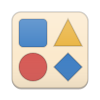 Shape PuzzlesAges 3 to 6Fit fabric shapes into a quilt, then build big shapes from small ones.Learns: Naming shapes and building big shapes from small ones
 First CodingAges 4 to 7Plan Tully the turtle's walk with arrow stones, then tap Go.Learns: Planning steps in order and fixing a plan: first coding
 Tell the TimeAges 7 to 9Set the clock to the time, then read the time. Each right clock opens a flower.Learns: Telling time on a real clock, from the hour to the minute
 Mail TruckAges 3 to 5Fit shape blocks to drive the mail truck, find the house by its number, and help Posty take the letter.Learns: Shapes, forward, left and right, house numbers to 20, and counting
 Coloring PagesAges 3 to 8Color animals, space, numbers and story friends, then color the word too.Learns: Color names, hand control, and the letters of each picture's word
 Classic StoriesAges 3 to 8Pick a storybook friend, hear their story with each word lit up, then play a tiny game.Learns: Listening, story comprehension, retelling in order and new story words
 Rhyming WordsAges 3 to 6Find the puzzle piece that rhymes with the picture. Cat fits hat!Learns: Hearing and matching rhyming words: listening to the ends of words
 Counting MoneyAges 7 to 9Pay for each thing at the market stand with pennies, nickels, dimes and quarters. Get it exactly right!Learns: The penny, nickel, dime, quarter and dollar and what each is worth, counting a mix of money, and paying with the fewest pieces
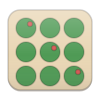 MultiplicationAges 8 to 10Plant an orchard in rows to build each times table, and see why 3 x 4 is 12.Learns: Multiplication as equal rows (arrays), times tables to 10 x 10, and missing factors
 Kids PianoAges 3 to 8A big rainbow piano with every note named. Play freely, or follow the bright key to play a song.Learns: Note names from C to B, high and low sounds, and playing a simple song by following the lit key
 Busy BookAges 3 to 6A felt quiet book that never runs out: zip, button, buckle, snap, lace a shoe, dress the bear and set the clock.Learns: Hand skills for dressing (zips, buttons, buckles, snaps, laces), colors and shapes, counting to 5, telling the hour, and naming animals and face parts
 Saved VideosAges 3 to 8Calm favorites saved on this device that play with no internet: classic films and your own videos.Learns: Watching a calm favorite again with no internet: classic films and a grown-up's own videos
 Learning VideosAges 3 to 8Calm learning videos: letters, numbers, songs and feelings.Learns: Letters, numbers, songs and feelings, from calm learning shows
For grown-ups, why each game is good for your child: Spell the Picture · ABC Mailbox · Counting to 20 · Memory Match · Name the Feeling · Shape Puzzles · First Coding · Tell the Time · Mail Truck · Coloring Pages · Classic Stories · Rhyming Words · Counting Money · Multiplication · Kids Piano · Busy Book · Saved Videos · Learning Videos
Helps for dyslexia and more
Easier reading, for children with dyslexia: wider spaces between letters, words and lines, bigger text, a plain font (Lexend, or OpenDyslexic if your child likes it) on a soft cream page. Letter tiles keep their school shapes.
- Read it to me: tap any words to hear them, each word lit up as it is said. Normal or slower voice.
- Bigger buttons, tap only: larger buttons, and a tap does what a drag would.
- More time: hints wait twice as long. Nothing ever runs out of time.
- Less motion: things change in place instead of moving. On by itself when the phone's Reduce motion is on.
- Quiet sounds: no chimes. The voice still talks.
- Clearer contrast, bigger text: black on white with bigger words, for low vision. On by itself with the phone's Increase contrast.
- Show what is said: captions for every word the voice says, and captions on videos.
How to turn them on
- A grown-up does this. If the lock at the top right is closed, hold it for 3 seconds and answer the sum to open it.
- Use the Helps switches just below. In a game, they are in the For grown-ups box under the game.
- Tap a help to turn it on. It says On with a check, and the page changes right away. Tap it again to turn it off.
- That's all. Helps are remembered on this phone or tablet and work in every game. Tap the lock again before you hand it over.
More about each help, and the research behind Easier reading
These are helps, not therapy or a diagnosis. If reading is hard for your child, their teacher or a reading specialist is the best next step.
Record your own voice
Record your own voice
The games can say the letter names, the letter sounds, the cheers and "All done!" in your voice instead of the phone's. Record each line once, a few minutes in all. Your recordings stay on this phone and are never sent anywhere.
Pick by age or skill
Where is my child's reading? Reading Level Check: 5 to 10 minutes together, lined up with grade-level standards, saved only on this device.
What has my child learned? Learning Log: every game and level your child finished, and how long each round took, saved only on this device.
Questions grown-ups ask
What is the Kids Learning Arcade?
A free website of calm learning games for kids. It needs no sign-in or download and has a child lock in every game.
What ages is it for?
Ages 3 to 9: eight calm games for ages 3 to 8, and Tell the Time, a telling-time game for ages 7 to 9. More arcade games that teach, up to age 11, are on the way.
Is it safe for my child?
There is no sign-in and nothing about your child is recorded. No camera or location is used, and the microphone only if a grown-up records their own voice for the games, which stays on the phone. Google Analytics counts anonymous page visits only, with ads signals off and no personal information. Ads are never inside a game, never personalized, and hidden while the Child lock is on.
Do the games help children with dyslexia?
Every game has Easier reading: wider spacing between letters, words and lines, bigger text, a plain font (Lexend or OpenDyslexic) and a soft cream page. Spacing is what research found helps dyslexic children read. A grown-up turns it on under Helps, and it is remembered on the device.
Can the games talk in my voice?
Yes. A grown-up can record the letters and short lines once, and every game then says them in that voice. Tap Record my voice above, or pick a Family voice under Voice in any game's For grown-ups box. The recordings stay on the phone and are never sent anywhere.
Does it work on a tablet?
Yes. It runs in the web browser on phones, tablets and computers, with nothing to download.
More questions and answers · How we build calm games · More from us
For grown-ups, and games for you
Every game here is built to what child-development research says is good for young children on screens: slow, smooth motion, nothing flashing, no background music, short rounds that end on their own, and no stars, coins or streaks that pull a child back in. Each round ends with a line for you to talk about it together.
Child lock: tap the lock at the top right. The ways out hide and the back button stays put. To unlock, a grown-up holds the lock for 3 seconds, then taps the answer to a sum of two numbers from 4 to 9. A wrong answer keeps it locked, and the next hold brings a new sum. Tapping the closed lock shows these steps.
Reading Level Check: a short check you do together to see which reading skills your child has and what to practice next. Check reading level
Free, paid for by kid-safe ads: never personalized, never during a game, and hidden while the Child lock is on. No sign-in, and your child is never recorded. We count plays without names or anything that identifies your child. Pictures: drawn for the Kids Learning Arcade, plus some Microsoft Fluent Emoji (MIT license).
Psst, grown-ups: do you like games too? We made an arcade for you. Party Games Arcade has party games you play together on your phones, with a TV if you have one: quick laughs for game night, no download.
Why we made this
Phones and tablets are part of growing up now, and some days they're how a family gets through dinner out. Our goal is to make that screen time count: every game here teaches something real, in a calm way that's kind to young minds.
Made with love for Alexandria, Finley and Josie, and for Carter and Chloe, who grew up too fast to play it.